LinkedIn message templates that still feel personal
Writing the same message ten times a day wastes time; pasting a generic text costs you replies. A good template is a solid base, completed in ten seconds for each person.
The rules of a good template
- Short: three or four sentences at most.
- At least one personal field: first name, company, topic of the conversation.
- A single question at the end, easy to answer.
- No attachments in the first message.
8 templates to adapt
1. First contact after a post
Hi {firstname}, your post about [topic] really resonated with me, especially [detail]. I work on this kind of topic with [type of clients]. Is it a priority for you at the moment?
2. After a connection request is accepted
Thanks for connecting, {firstname}. I see you're [role] at [company]: how do you currently handle [problem]?
3. Suggesting a call
Thanks for the details, {firstname}. The easiest would be a 20-minute chat: would Thursday or Friday work for you?
4. First follow-up
Hi {firstname}, following up on [topic]. Is this still on your radar?
5. Follow-up with a resource
Hi {firstname}, I just came across [resource], which addresses the [problem] you mentioned. Want me to send it over?
6. After a meeting
Thanks for the chat, {firstname}. As agreed, I'll send you [proposal] by [date]. Feel free to reach out if any questions come up in the meantime.
7. Thanking a client
Thank you for your trust, {firstname}. If you're happy with the result, a LinkedIn recommendation would mean a lot.
8. Politely declining
Thanks for your message, {firstname}. It's not a priority for me right now, but I'll keep your details.
DiscussIn: a template in two seconds
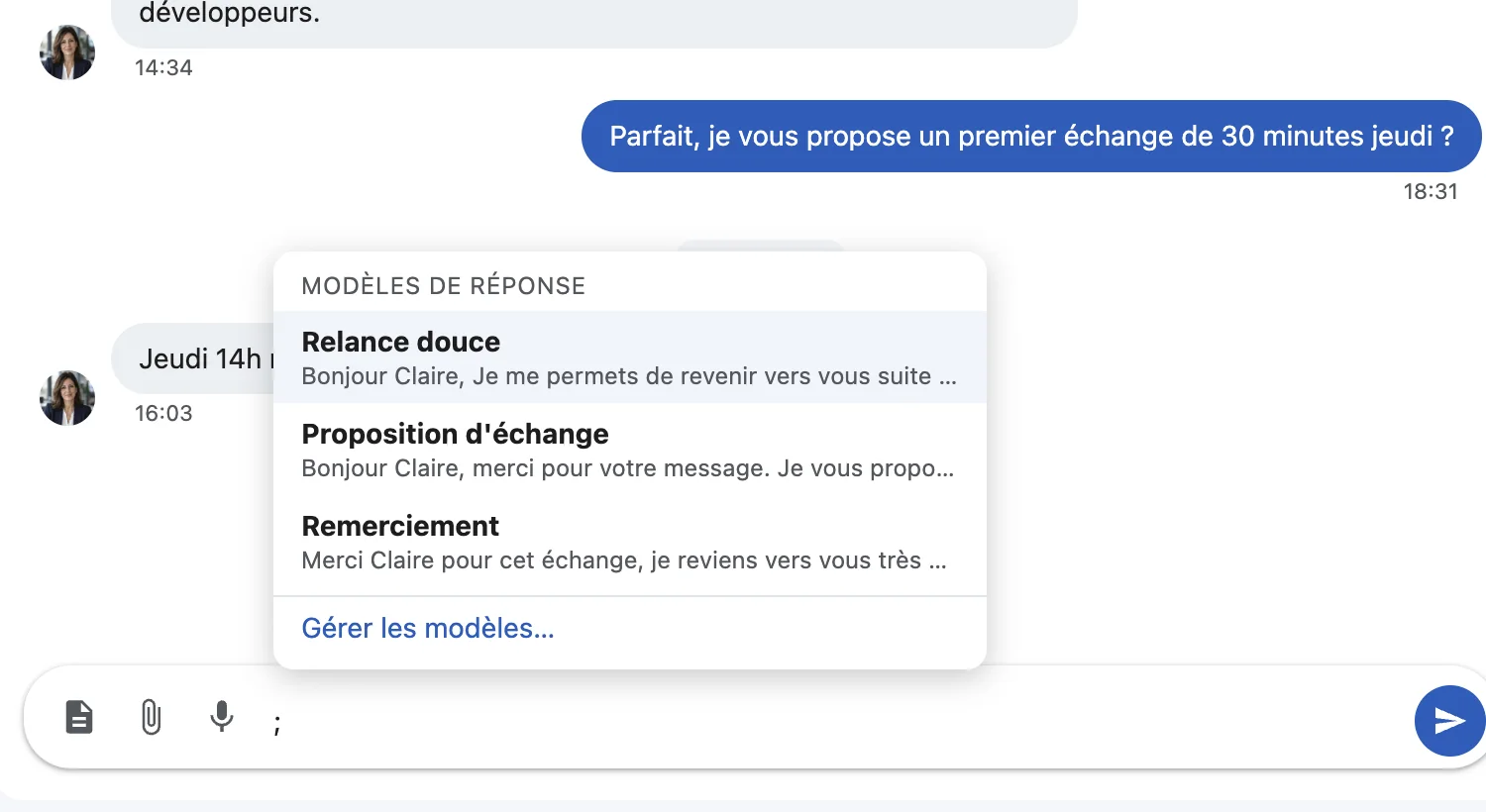
Keeping templates in a document and copy-pasting them works, but it breaks your flow. In DiscussIn, type “;” in the message box: your templates appear, you pick one, and {firstname} and {lastname} are replaced with the person's. All that's left is to add the personal detail.
Reply templates
Do message templates work on LinkedIn?
Yes, as long as you personalize them. A template gives you the structure; the sentence that shows you know the person is what makes the difference.
How long should a LinkedIn message be?
Three to four sentences for a first message. Anything longer tends to get skimmed.
Try DiscussIn for free
7 days free, no credit card required. Then €29, one time. No subscription.